Room measuring apps for contractors: the four kinds
Every app in this category is one of four things underneath. Knowing which one you are holding tells you where it will let you down.
The four kinds
| Kind | How it works | Good at | Fails at |
|---|---|---|---|
| LiDAR scan | A depth sensor plus software that decides what is a wall | Whole rooms in ninety seconds, openings, not forgetting the closet | Mirrors, glass, dark surfaces, clutter against walls |
| Photogrammetry | Many photographs reconstructed into a model | Detailed 3D of objects and exteriors | Slow, needs good light, and heavy to process |
| AR point-to-point | Tap two points through the camera, phone measures between | Any phone, one-off dimensions, no LiDAR required | Accumulating drift, and it needs a camera and light |
| Manual sketch | You draw it and type the numbers | Every number measured, any shape, works in the dark | Slow, and only as good as your tape work |
Most serious tools are a LiDAR scanner with one of the others as a fallback. The question worth asking is how good the fallback is, because that is what you use on the job where the scan will not behave.
What none of them do by themselves
Tell you which is which afterwards. A room measured three different ways produces one plan, and by the time it is a PDF in an email there is usually nothing on the page saying that the north wall was scanned, the south wall was taped, and the closet was drawn from memory.
That is the gap Trueline was built into. Provenance travels with each length all the way to the client’s document, and the app will not call a room measured until a tape has been on one wall running each way.
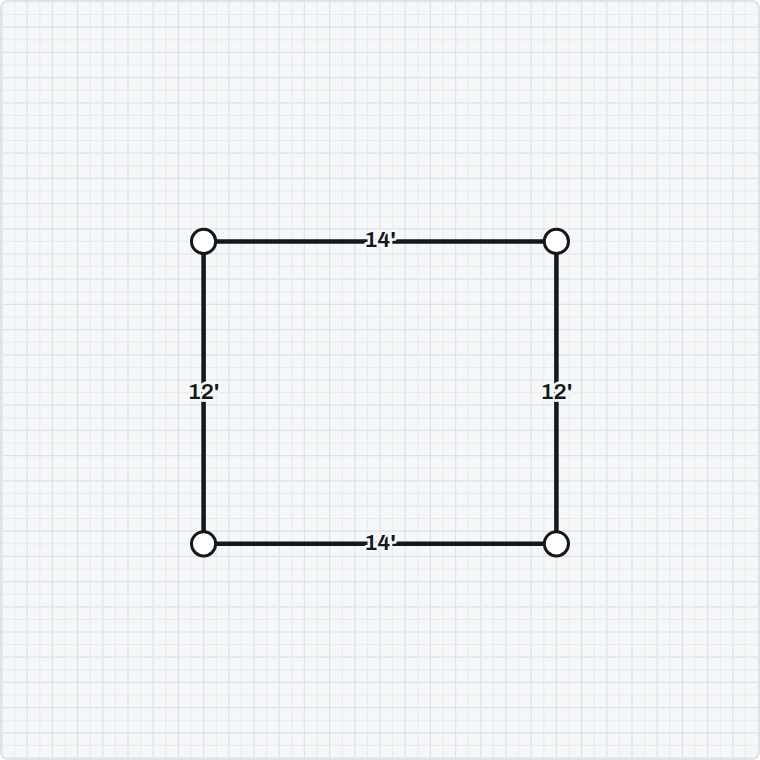
Choosing between them
- Doing whole rooms, fast, on a Pro iPhone → LiDAR, with a manual fallback you have actually tried.
- No LiDAR on your phone → AR point-to-point, or a grid you tap corners onto.
- A room you cannot get back into → manual sketch from the numbers you already have.
- Exteriors and objects rather than rooms → photogrammetry, which is a different job.
Whichever you pick, the discipline is the same and it is not about the app: put a tape on one wall running each way before anything gets priced.
Six questions to ask before you subscribe
What is the total for a year?
Including anything charged per project, per scan or per export. Those look small and they scale with your busiest month, which is exactly when you cannot switch.
If I cancel, can I still open old jobs?
On a hosted service the honest answer is often no. Ask directly, and ask what export you get on the way out.
Does a client need an account to open what I send?
If the answer is yes, you are asking a homeowner to sign up to something in order to read their own quote.
What happens on a phone with no LiDAR?
Half the answer to this is "it does not work". Try the fallback before you need it, because you will need it on the job where the scan misbehaves.
Does it work with no signal?
Basements, new builds with no power, rural jobs. Anything that renders or stores server-side stops in exactly the room you needed it in.
Does it ever tell me a number is unreliable?
Almost none of them do, and it is the difference between a tool that helps you estimate and a tool that helps you be confidently wrong.
What the free tiers usually mean
Free tiers in this category are almost always the same shape: measuring and viewing are free, and the things that turn a measurement into money are paid. That is a reasonable split — the measuring is the part that gets you to try it, and the estimating is the part that saves you a morning.
What varies is where the line sits. Some put the export behind the paywall, some the plan itself, some the number of projects. Trueline puts measuring, the drawing and the 3D view on the free side and keeps them there; the takeoff, the pricing, the proposal and the claim documents are the subscription.
Questions people ask
- What is the best app for measuring a room?
- It depends on your phone and your job. On a Pro iPhone a LiDAR scanner is the fastest way to get a whole room including its openings; without LiDAR you want AR point-to-point or a grid you tap corners onto. The more useful question is how good the app’s fallback is, because that is what you will use on the difficult job.
- Are room scanning apps accurate enough for construction?
- For shape, yes — they will get the outline and the openings, which is most of the work. For numbers on a contract, treat a scan as a shape to check rather than a measurement to price off, and put a tape on one wall running each way.
- Do I need a Pro iPhone?
- Only for LiDAR scanning. Everything else — AR point-to-point, tapping corners onto a grid, the takeoff, the pricing and the documents — works on any iPhone.
- What should I ask before subscribing to a measuring app?
- The total annual cost including any per-project fees; whether you can still open old jobs if you cancel; whether a client needs an account to open what you send; what happens on a phone with no LiDAR; and whether it works with no signal.
- Are the free tiers of these apps usable?
- Usually for measuring and viewing, which is the point of them. What differs is where each one draws the line — some paywall the export, some the plan, some the number of projects. Check that before you build a workflow on the free tier.
Where this fits with Trueline
Trueline is an iPhone app that measures a room, takes it off, prices it from your own rate book and turns it into a proposal — with every length carrying whether it was scanned, drawn or measured, right onto the document a client reads. See how it works, or take the free templates and use them with whatever you already have.